Case study · Print shop · Newark, NJ
PBA Command
The shop-management system I built to replace Printavo at PBA Printing, the Newark print shop where I run operations. Leads, quotes, artwork approvals, production, payments and reports, in one app the whole team uses every day.
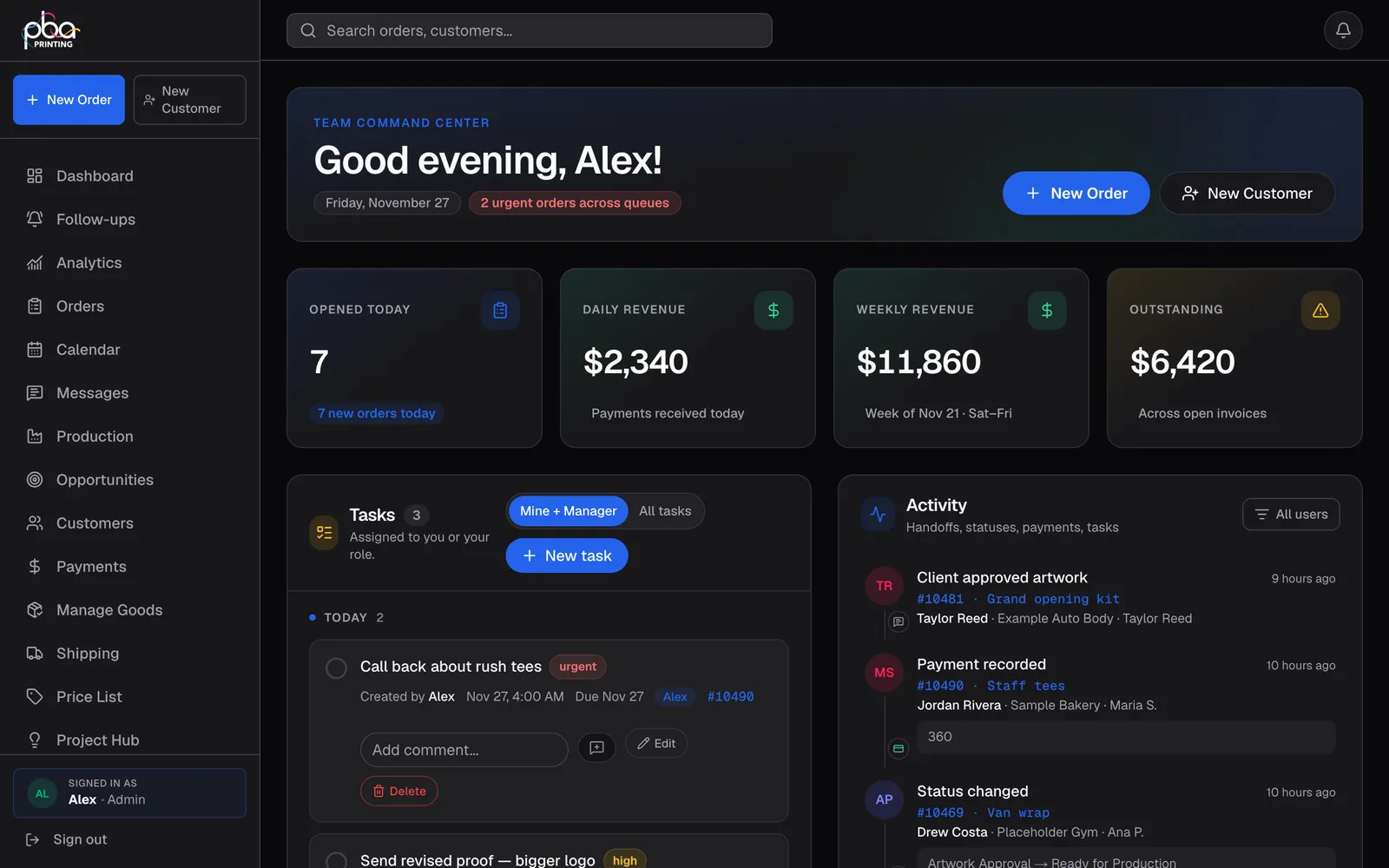
Dashboard shown with sample data. No real customer, order or payment data appears on this site.
Printavo → PBA Command
Replaced the shop's old software
5 roles
Admin, manager, front desk, design and production each see their own work
No login
Customers approve and pay from a link on their phone
One app
Leads, quotes, art, production, payments and reports
The starting point
Off-the-shelf software, bent to fit a busy shop.
PBA Printing handles everything from DTF and screen printing to wraps, signs and outsourced print jobs, for a mostly Brazilian and Latino client base. The shop ran on Printavo, a general tool that the team had to work around. The goal was a system built around how the shop actually works.
Follow one job
From the first call to pickup.
Here's how a single order moves through PBA Command, using the real screens with sample data.
01A lead comes in
Every lead gets a card.
Walk-ins, calls, Instagram messages and website requests all land on one board, so nothing lives on a sticky note.
- Stages from New Lead to Quote Sent to Won
- Each card has an owner, a value and a next follow-up
- Stale deals get flagged before they go cold
- One click turns a lead into an order
Sample data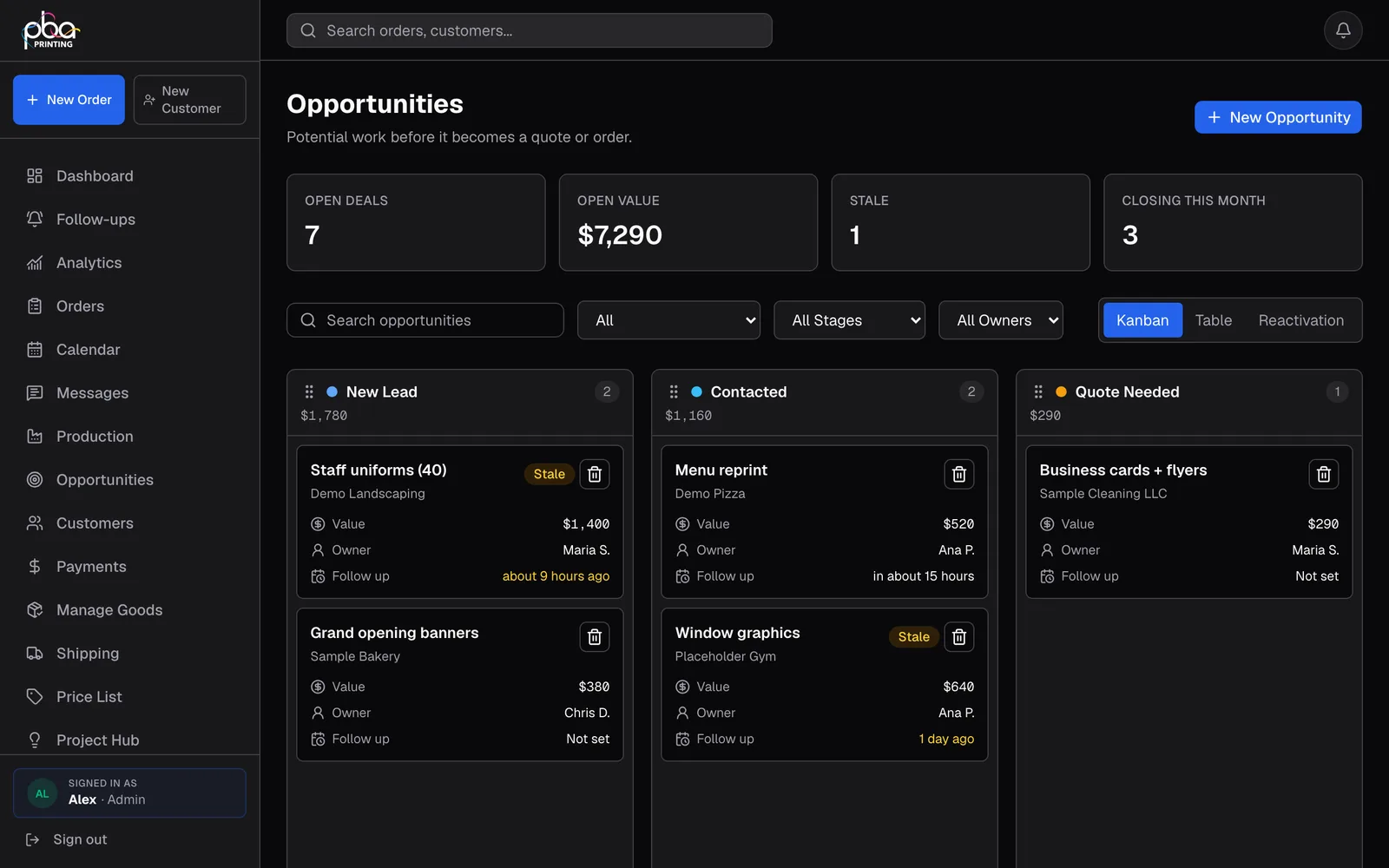
02Build the quote
Quotes in minutes, not half an hour.
The front desk builds the order from the shop's own catalog and prices, with sizes and decoration methods right on each line.
- Add items from the catalog or as a custom item
- Size breakdowns (S, M, L, XL…) for apparel
- Silkscreen, embroidery and DTF tagged per item
- A built-in apparel decoration calculator
- Duplicate any past order to quote a repeat job
Sample data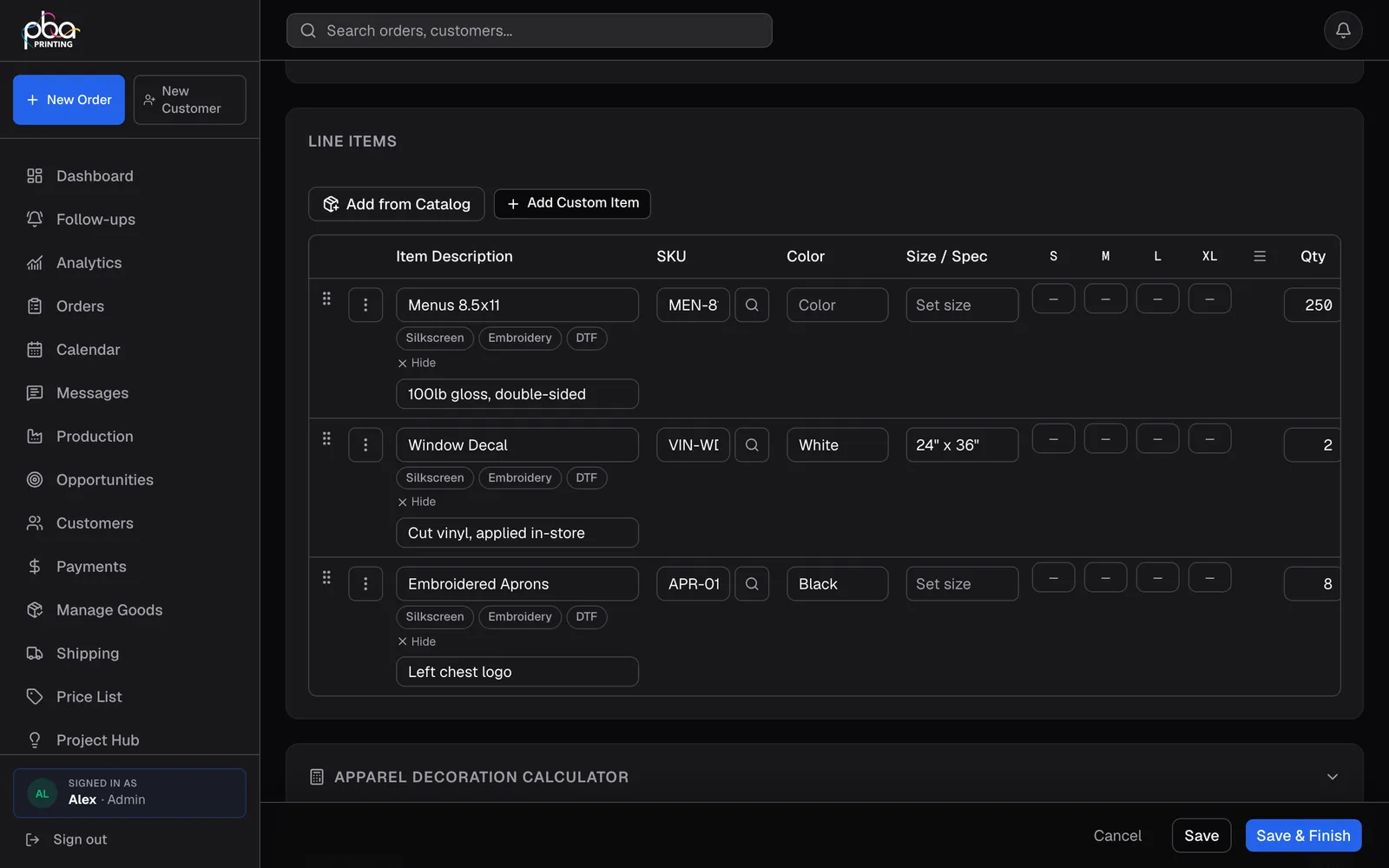
03The customer approves
Approval and payment from their phone.
The customer gets a link by text or email. They see the invoice and their artwork proof, then approve it, ask for changes or pay. No account, no app to download.
- Works on any phone, in seconds
- Approve, request changes or pay by card
- The team sees the approval the moment it happens
Sample data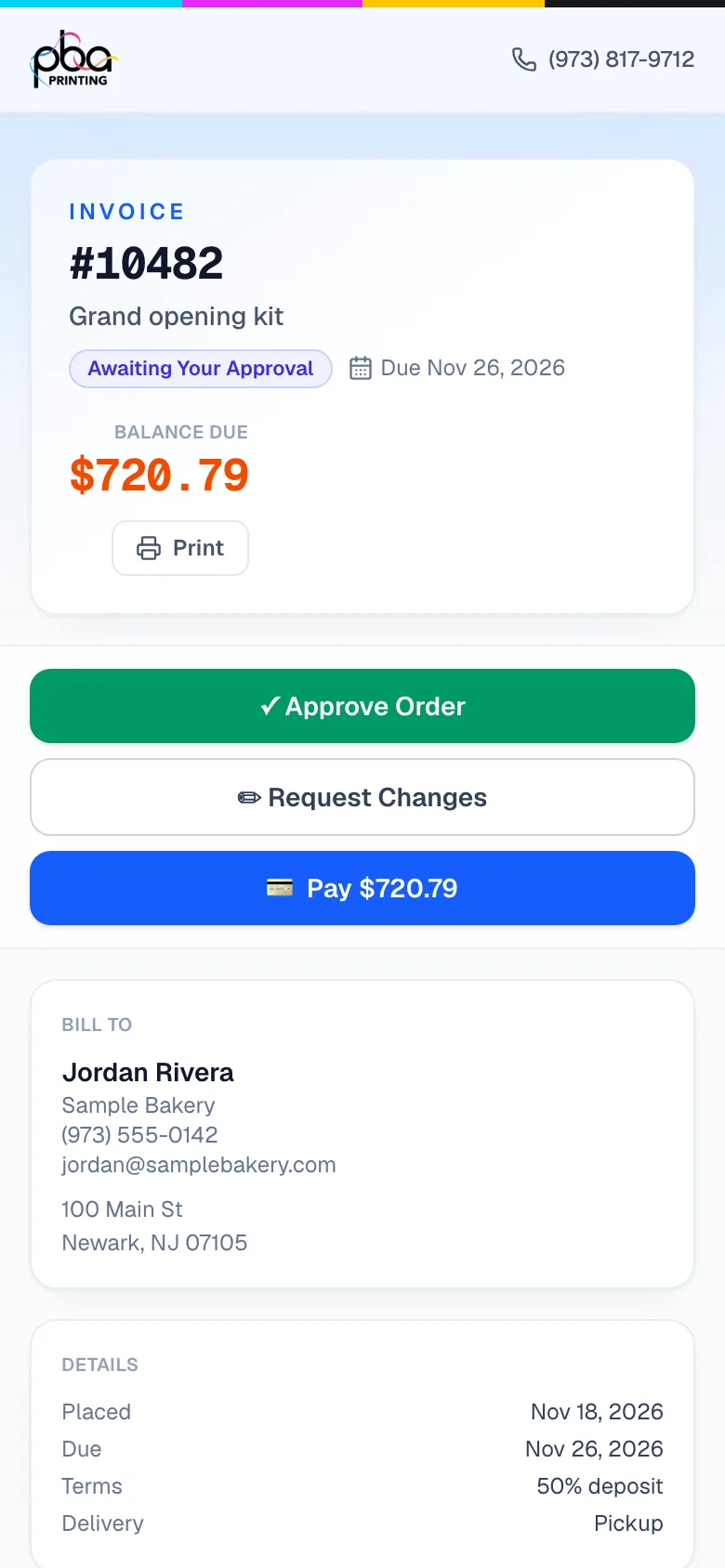
04Into production
The whole shop on one board.
Every open job sits in a column: quotes, artwork, ready, in production and pickup. Moving a card updates the order for everyone.
- Drag a job to the next stage
- Status changes can text or email the customer automatically
- Filter by staff member or what's due today
Sample data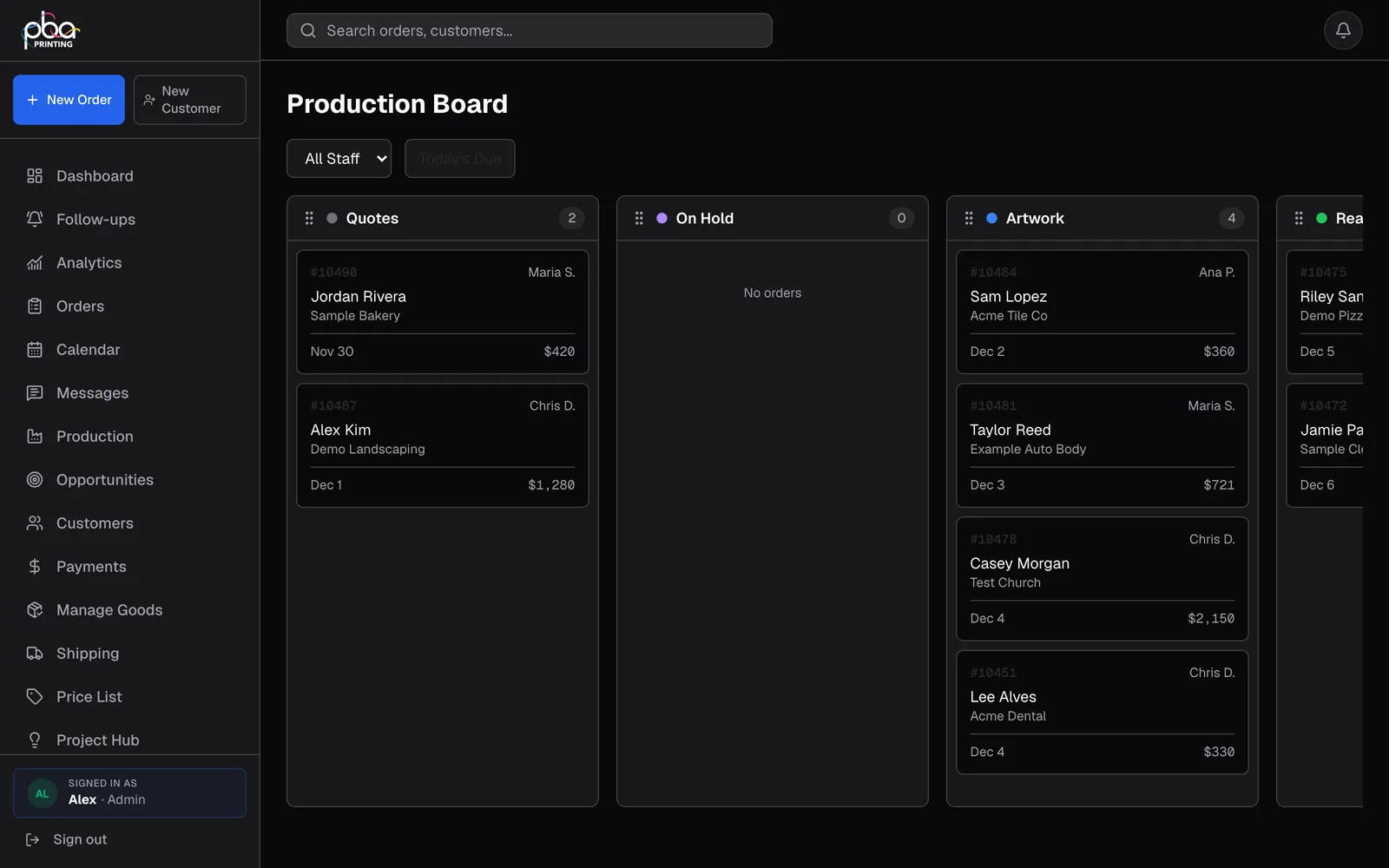
05Invoice and get paid
Every dollar tied to the job.
Each order shows what was charged, what's been paid and what's still owed, with the full line-item detail underneath.
- Record deposits and payments in a click
- Send a payment request link to the customer
- Print or send the invoice as a PDF
- Sales tax and tax-exempt customers handled
Sample data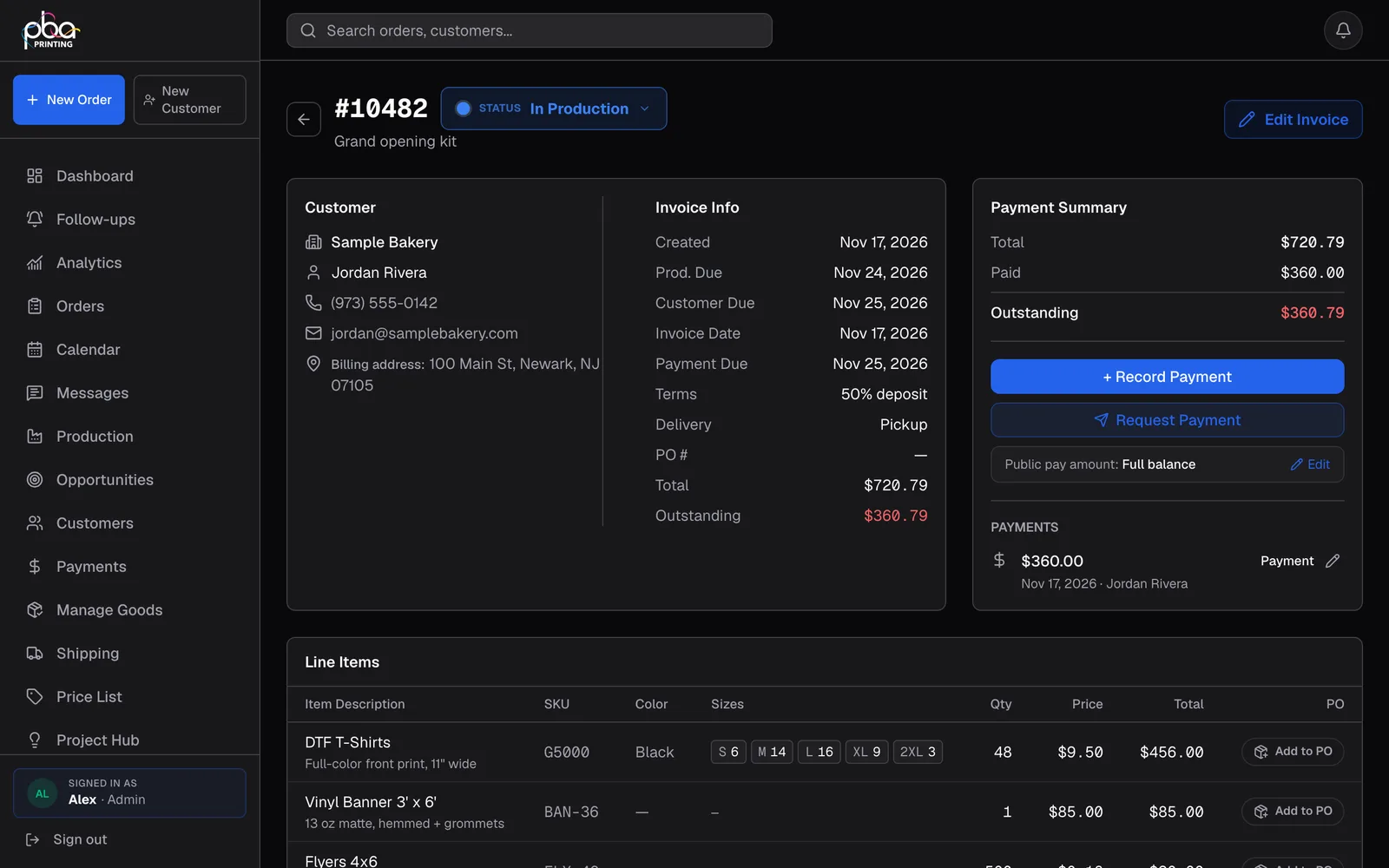
06Run the day
Everyone knows what's next.
The dashboard is home base. Each role sees its queue, urgent handoffs, tasks and what just happened across the shop.
- Queues for front desk, design, production and managers
- Tasks tied to specific orders
- A live feed of approvals, payments and status changes
- Today's and upcoming scheduled jobs
Sample data07See the business
The owner's control room.
Sales, cash and risk in one place, so decisions come from numbers instead of guesses.
- A daily briefing with what needs attention
- Sales booked and cash collected vs. the prior period
- Money owed and jobs at risk of running late
- Payment reports, sales tax reports and CSV exports
Sample data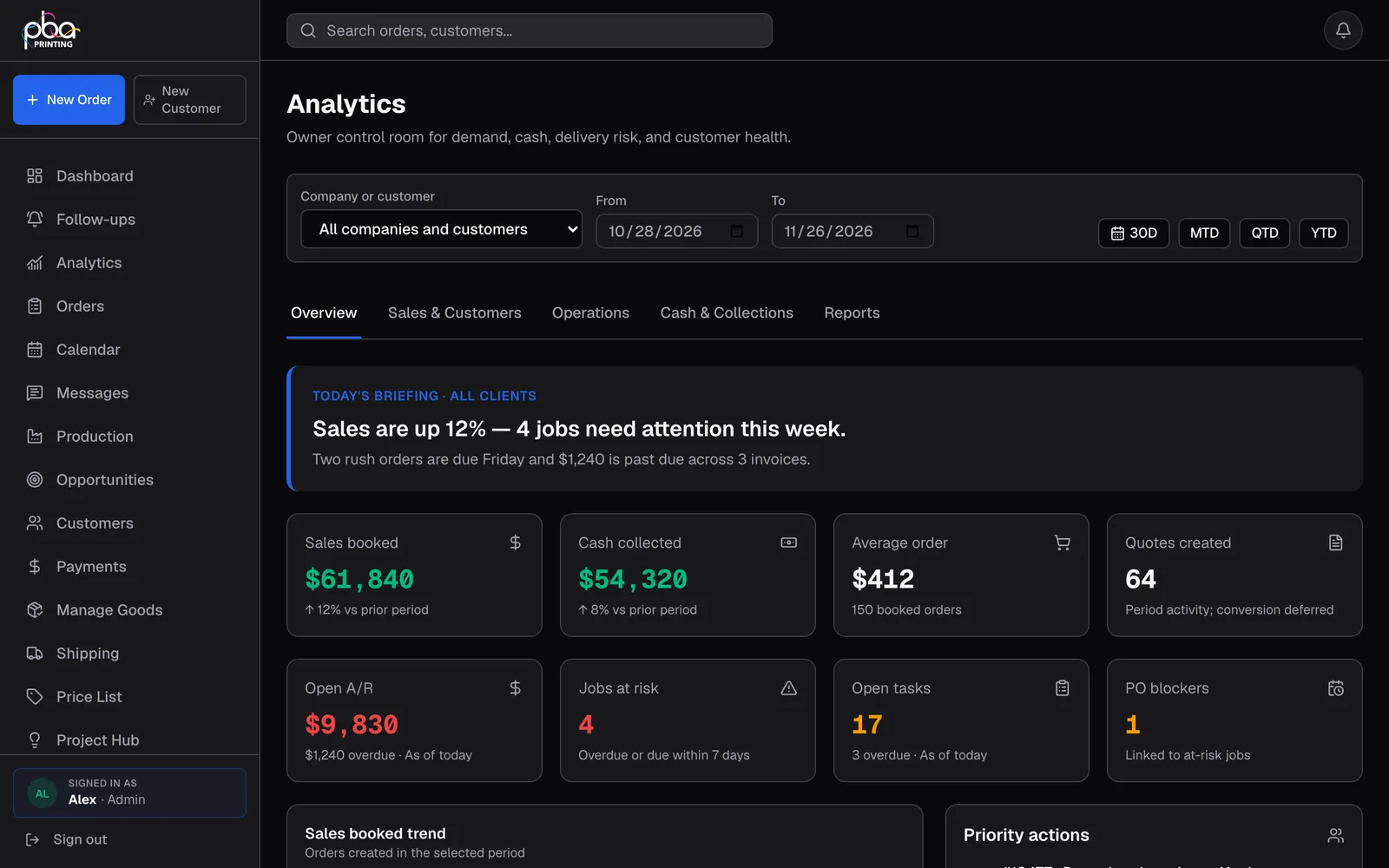
And the rest
Everything else a busy shop needs.
- Customers & contactsFull history, contacts per company, a customer portal link and text opt-in status.
- Calendar & schedulingSchedule installs, pickups and deliveries, and see what's coming up this week.
- Tasks & follow-upsReminders tied to orders and customers, assigned to a person or a role.
- Automatic texts & emailsOrder updates and payment requests go out automatically, with delivery history.
- ShippingCreate shipping labels and track every shipment from the order.
- Purchase orders & vendorsOrder blanks and materials from suppliers right from the job's line items.
- Price list & catalogThe shop's products and prices in one place, used by every quote.
- Files & proofsArtwork, proofs and print files stored with the order they belong to.
- Roles & permissionsEach person sees only what their job needs, including who can see prices.
- Search everythingFind any order, customer or invoice from one search bar.
- Win back customersCustomers who haven't ordered in a while, ranked for outreach.
- Project HubWhere the team asks for improvements, so the system keeps getting better.
Under the hood
Built like real software, because it is.
PBA Command runs on the same kind of tools that power modern SaaS products, set up for a small business budget.
- Role-based permissions for every staff member
- Database security rules on every table
- Automatic database backups
- Customer pages use private links, no passwords to forget
Next.js + TypeScript
The app itself: fast, typed and easy to keep improving.
Supabase
The database and staff logins.
Helcim
Card payments from invoices and payment links.
Twilio + email
Automatic texts and emails to customers.
Backblaze B2
Storage for artwork, proofs and print files.
Vercel
Hosting, with every update tested before it goes live.
How it was built
Built in stages, inside a working shop.
- Built while the shop kept running, one piece at a time.
- Shaped by the people who use it every day, from the front desk to production.
- Replaced Printavo as the shop's system.
Want something like this for your business?
A free 30-minute call. Tell me how things run today, and I'll show you what a system built around your business could look like.